
How to Fix a Water-Damaged iPhone (Real Advice From a Repair Technician)
Water damaged iphone is one of the most common problems we see in iPhones. After nearly three years in the repair industry and fixing over a hundred water-damaged phones, one thing is clear: most iPhones don’t die from water alone — they die from delayed action or bad advice.
This guide explains what actually happens when an iPhone gets wet, what you should do right away, and when professional repair is the only smart option.
How iPhones Usually Get Water-Damaged
Most water damage doesn’t come from extreme accidents. In real life, it usually happens during everyday moments. Phones fall into toilets, get splashed at the pool, or are used during showers. Even a small amount of moisture can cause serious internal damage if it reaches the wrong area.
Many customers are surprised when this happens because their iPhone is labeled “water-resistant.” Unfortunately, water resistance isn’t permanent.
The Truth About “Water-Resistant” iPhones
Every iPhone claims to handle water, but none of them are waterproof. Over time, seals weaken and water finds its way inside — most commonly through the charging port and speaker openings. Once water enters the phone and power is still flowing, corrosion begins almost immediately.
That’s why turning the phone off quickly is more important than anything else.
Can a Water-Damaged iPhone Be Saved?
In most cases, yes. Based on our experience, around 75% of water-damaged iPhones can be recovered as long as the water hasn’t reached the motherboard. When corrosion spreads to the logic board, repair often becomes unrealistic or not cost-effective.
The sooner the phone is inspected, the better the outcome. Waiting even a day or two can turn a repairable phone into a total loss.
The Biggest Mistake People Make After Water Damage
The most common mistake we see is trying to “dry it out” at home. Putting a phone in rice or blasting it with a hair dryer often causes more damage than the water itself. Rice traps moisture inside the phone and leaves dust in charging ports. Hair dryers add heat, which can damage the screen, weaken seals, and warp internal components.
These methods give a false sense of safety while corrosion continues inside the device.
What You Should Do Immediately After Your iPhone Gets Wet
If your iPhone was just exposed to water, focus on speed and caution. Power it off right away to stop electrical damage. Remove the SIM tray so moisture isn’t trapped inside. Dry the outside gently and let gravity help by holding the charging port downward. Instead of heat, place the phone near a fan so cool air can circulate.
Do not charge the phone for at least 24 to 48 hours. Even if it looks dry on the outside, moisture can stay hidden inside the charging port or under connectors.
If the phone was exposed to salt water, soda, or pool chemicals, professional cleaning is strongly recommended.
How We Fix Water-Damaged iPhones Professionally
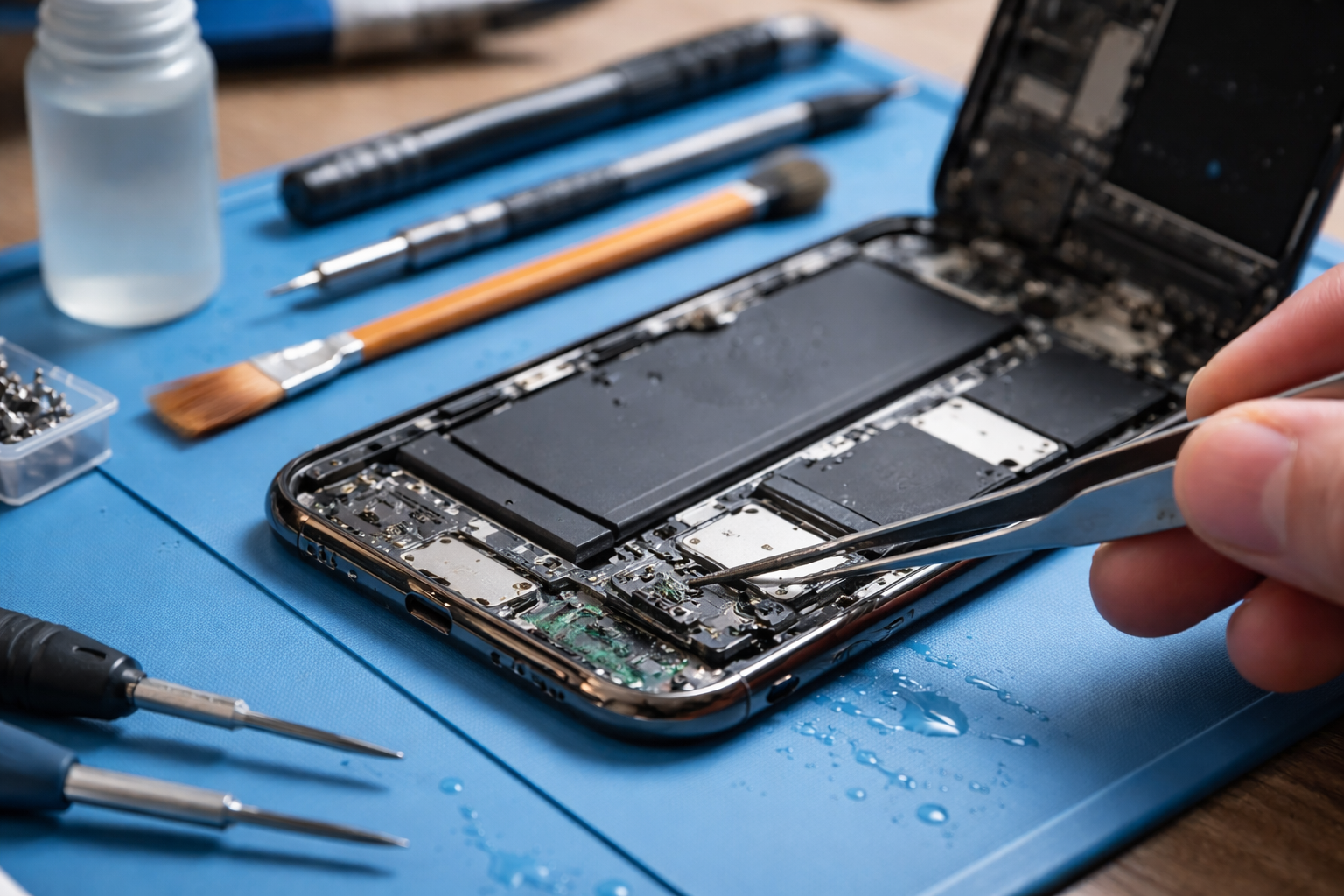
When a water-damaged iPhone comes into our shop, we always start with a full diagnostic. After that, we remove internal moisture and clean the device to stop corrosion from spreading. If the phone still doesn’t function properly, only the damaged components are replaced — such as the screen, flex cables, battery, or charging port.
We never replace parts unnecessarily. The goal is to save the phone, not upsell repairs.
A Real Repair Case From Our Shop
One customer came in with an iPhone that stopped turning on after being used during a shower. After internal cleaning, replacing a damaged flex cable, and installing a new screen, the phone worked perfectly again. Without professional cleaning, that device would likely have failed later due to hidden corrosion.
How Much Does Water Damage Repair Cost?
There’s no single price for water damage repair. The cost depends on the iPhone model and which parts were affected. Some repairs are affordable, while others make replacement the better choice. We always explain both options honestly so customers can decide what makes sense.
If your iPhone gets wet, don’t rely on internet tricks. Quick action and proper handling matter far more than rice or heat. Turning the phone off and getting it checked early can mean the difference between a working phone and a dead one.